

Integration
Gong Integration for surfacing competitive insights from customer calls
Instant insghts on your competitors
Monitor shared competitive intel
Track every relevent intel
Step 1
Navigate to the settings page by finding a ⚙️ icon on the top right.
Under the Gong tab, click on the
Connect to GongbuttonAuthenticate on the Slack OAuth page and thats it!

Step 2
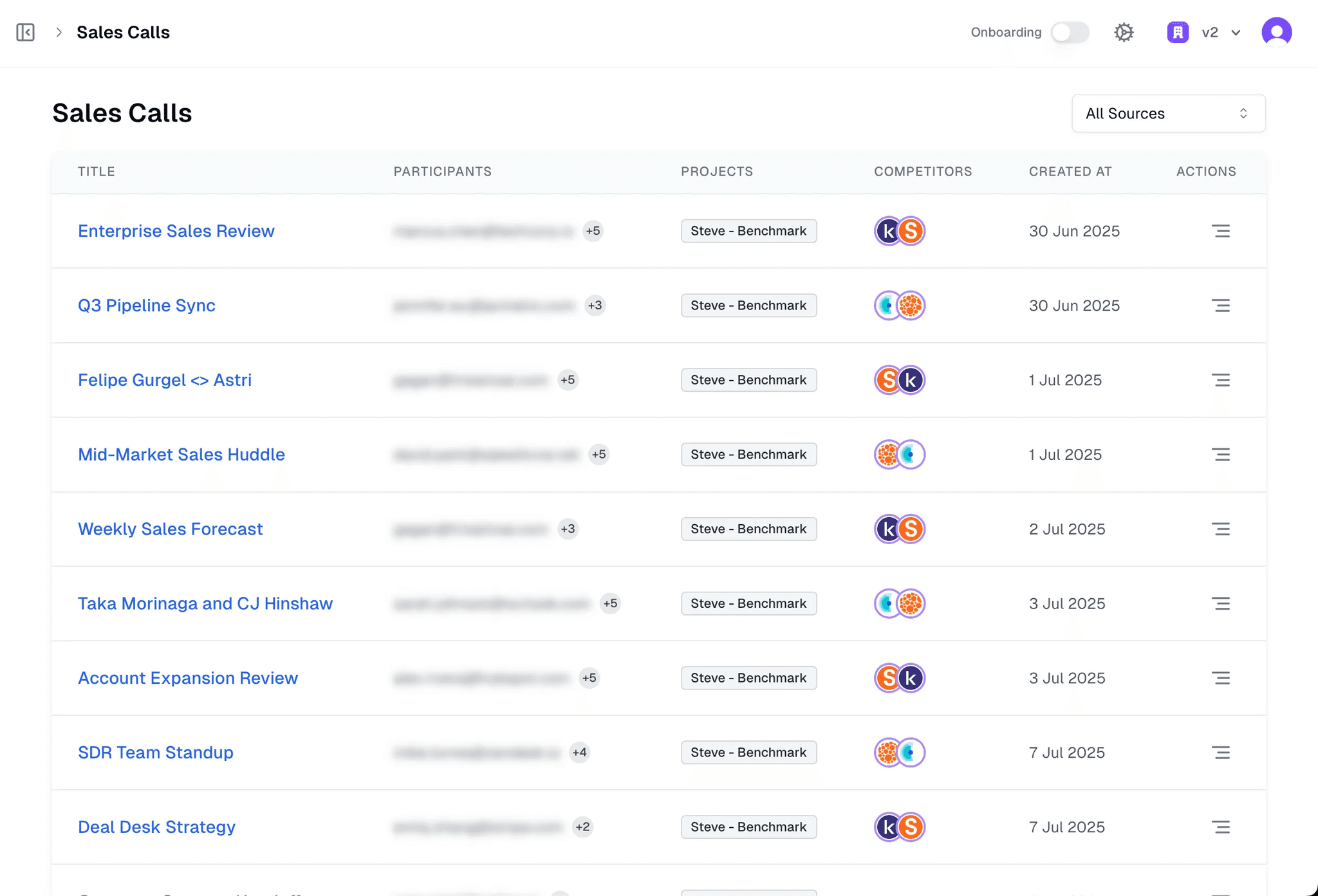
Once you integrate Gong, Steve automatically pulls transcripts from every call you run.
Steve scans each transcript for mentions of your added competitors — including their strengths, weaknesses, objections, pricing hints, and positioning cues.
You’ll instantly get a clean insight summary for every call, showing exactly where your competitors were brought up.
You can use these insights to update or generate real-time battle cards, without manually reviewing any call recordings.
Step 3
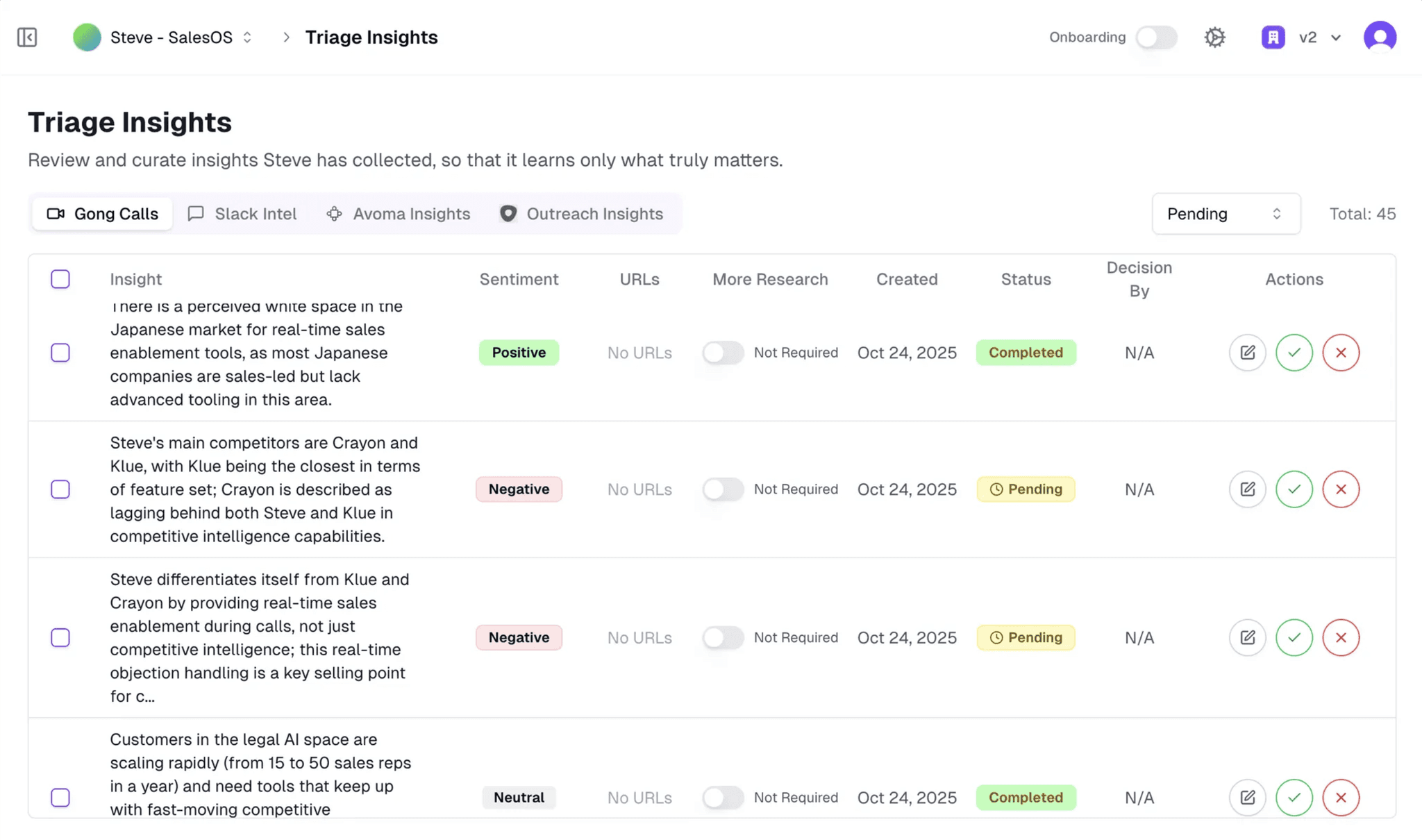
Once Steve processes your Gong transcripts, every competitor-related insight appears here for you to review.
Steve automatically detects mentions of your added competitors — including objections, comparisons, pricing discussions, and positioning signals.
Each insight is tagged with sentiment and context so you can see how prospects talk about you versus competitors.
You can approve, edit, or reject insights, helping Steve learn what truly matters before they are used in your battle cards.
Got queries?
Schedule a meeting below, or mail us at tech@hiresteve.ai